CFI – India’s Leading Finance and Analytics Training Institute
CFI’s “Certified Data & Business Analyst (CDBA)” program prepares you to become a Certified Data & Business Analyst CDBA equips you with the skills and insights needed to thrive in today’s data-driven business landscape. This comprehensive program is designed to empower professionals and aspiring analysts with the knowledge and expertise required to extract actionable insights, drive informed decision-making, and propel organizational success.
The Business and Data Analysis Mastery course goes beyond traditional analytics, providing a holistic approach that intertwines business acumen with advanced data techniques. Whether you are an aspiring data analyst eager to enter the field or a seasoned professional looking to upskill, this course is your gateway to mastering the symbiotic relationship between business strategy and data analytics.
3.5
Months Duration
120+
Hours of Content
8
Live Projects
5
Certificates
Tools & Platforms Covered
MS Excel Power BI SQL Python and its libraries Tableau Statistics
Jai Malhotra
ex NTT Data, SBI Cards, Deloitte | B Com, LLB
MS Excel Trainer

Shraddha
American Express FP&A
Chartered Accountant

Avinash Jain
MS Excel, Power BI M.Sc (CS)
Senior Trainer
3.5 Months. 7 Modules. 120+ Hours
Working with Name Range: –
- What does naming a cell range mean?
- Rules for naming cells and ranges
- Naming cell range(s) in a worksheet
- Navigating through workbooks using named ranges
- Creating named ranges automatically based on cell values
Numeric/Statistial Functions/ Lookup Function:-
- SUM, SUMIF, SUMIFS
- AVERAGE, AVERAGEIF, AVERAGEIFS
- COUNT, COUNTIF, COUNTA, COUNTBLANK
- MAX, MIN, Vlookup, HLookup
Understanding References
- Understanding References
- Relative References
- Absolute References
- Mixed References
- Utilizing names for writing formulae.
Filtering / Sorting
- Filtering and Sorting
- Concept and Implementation
Logical Functions
- If Function
- AND, OR Function
- Nested Functions
Conditional Formatting
- Create Conditional Formatting
- Rule 1 to 6
Creating Dropdown List
- Simple Dropdown List
- Conditional Dropdown List
Date & Time Functions
- TODAY, NOW
- DAY, MONTH, YEAR
- WEEKDAY
Working with PivotTables Charts
- Creating Pivot Table
- Exploring Table Design Tab
- Slicers
- Creating Chart
- Formatting Chart
Using AI and ChatGPT in MS Excel -New
Module 1: Understanding Analytics & Business Intelligence (BI) Concept
This module will guide the candidate through the basics of Analytics. Learn about the Data & Analytics
- Data & Analytics
- Introduction to Business Intelligence
- Importance of Business Intelligence
- Overview of Self-Service BI
Module 2: Microsoft Power BI Introduction
- Power BI introduction and Overview
- Power BI Desktop – Installation
- Explain Power BI Desktop
- Power BI Screen Elements and Toolbars
Module 3: Connecting Power BI with Different Data Source
- Connect to CSV files in Power BI
- Connect to Excel in Power BI
- Connect to PDF in Power BI
- Connect to Web Page in Power BI
Module 4: Data Cleaning with Power Query
- Power Query Introduction
- Query Editor interface
- Column Transformations
- Combining Data: Append Query
- Combining Data: Merge Query
- Number, Date and Time Calculations
- Text Transformation
- Sorting & Filters Data
- Splitting & Merging Data
- Transforms Data
- Pivot and Unpivot Data
- Adding Columns
- M Built-in Function
Module 5: Data Modelling in Power BI
-
- What is a PowerPivot?
- What Is a Data Model?
- What is a Relationship?
- Introduction to DAX
- Detecting and Creating Relationships of Tables
- Understanding the Star Schema
- Creating Calculated Columns
- Creating Tables
- Creating Measure
- Row Context vs Set Context
- Working with DAX Functions
- Getting Data from Related Tables
Module 6: Creating Report & Visualization Type in Power BI
- Create a New Power BI Report
- Report Editor in Power BI
- Add, Rename, Delete & Duplicate Page to Power BI Report
- Save Report in Power BI
- Change how visuals interact in a report
- Open a Power BI in Reading View
- Page Display Setting in Power BI report
- Type of Visualization in Power BI ReportAdding Visuals (Bar, Column, Line, Area, Ribbon, Pie, Scatter, Tree Map, Waterfall, Combo, Funnel, KPI, Radial Gauge, Doughnut Chart etc.)
- Data Categories, Geo-Data and Maps
- Creating and Working with Tables and Matrix Views
- Customizing Visuals by Field, Format & Analytic
- Filtering Visual, Page, All Pages
- Using Interactive Slicers – Dropdowns and Searches
- Number, Date, Text Slicers
- Applying Conditional Formats to Visualizations
- Drill Visualizations to see underlying Data
- Date Hierarchies
- Show Values as and Quick Measures
- Custom Visualization in Power BI
- Selection Pane
- Lock Objects
- Adding Graphics
- Bookmarks
- Spotlight
- Report Themes
- Using Security by Creating Role Based Views
- Insight – Explain Increase/Decrease
- Export Power BI Data to CSV
Module 6: Creating a Power BI Dashboard
- Dashboard vs Reports
- Creating a Power BI Dashboard
- Dashboard Tiles in Power BI
- Pin a Tiles to Power BI Dashboard from a report
- Power BI publisher in Excel
- Data alert in Power BI Service
- Add Image, Text box, Video or web code to your dashboard
- Tips for designing a great Power BI Dashboard
- Create Phone View of a Dashboard
- Power BI Q&A
- Quick Insights with Power BI
Module 7: Refreshing Data
- Configure schedule refresh data
- Refresh a dataset created from Power BI Desktop (Local)
- Refresh a dataset created from Power BI Desktop (Cloud)
- Disable privacy setting
Module 1: Introduction to SQL and Relational Databases
- Relational database management systems (RDBMS)
- Comparison of SQL and Excel features and use cases
Module 2: SQL Basics
- SQL syntax, keywords, and conventions
- Data types and operators (arithmetic, comparison, logical)
- SQL constraints (Primary/check/default/null….)
- SELECT statement, projection, and filtering data with WHERE aliases and expressions
- Sorting data with ORDER BY
Module 3: Working with Joins and Unions
- Different types of joins (INNER JOIN, LEFT JOIN, RIGHT JOIN, FULL JOIN, CROSS JOIN) ON, USING, and NATURAL keyword usage
- UNION and UNION ALL set operations
Module 4: Aggregating Data and Group Functions
- GROUP BY clause and grouping sets
- HAVING clause for filtering aggregated results
- Aggregate functions: SUM, COUNT, AVG, MIN, MAX
Module 5: Advanced SQL Queries
- EXISTS and NOT EXISTS operators
- Window functions: RANK, DENSE_RANK, ROW_NUMBER, NTILE, etc.
- Index in SQL
- Nested Stored procedure
Module 6: SQL for Data Management
- Data Manipulation Language (DML): INSERT, UPDATE, DELETE
- Transactions: BEGIN, COMMIT, ROLLBACK
- Optimization SQL Query
- Procedure/Function
Module 7: SQL for Data Analysis and Reporting
- Pivoting data: transforming rows to columns
- Unpivoting data: transforming columns to rows
- GROUP BY extensions (ROLLUP, CUBE, and GROUPING SETS)
- Discussion on Statistics concepts and theories
- Correlation, Var-Covar, Beta, Regression, Monte Carlo Simulation, among others
Module 1 – Introduction to Python Basics – 6 hours
- Introduction to Python (History & Usage)
- Data Types in Python (Int, Boolean, Strings)
- Maths in ALU (Division, Addition & Multiplication)
- User Input & String Functions (Len, Lower, Upper)
- Variables & their memory allocation
- Control Flows (if, elif, else)
- Conditional Loops (for, while & Nested If)
- Indexing & Slicing the Strings
Module 2 – Introduction to Functions & List Comprehensions – 4 hours
- What are Functions?
- Types of functions (built-in, user-defined, anonymous)
- Creating your own function (def)
- Local vs. global scope
- Lambda Function (Anonymous Function)
- Map, Filter & Reduce functions
- List comprehensions & Its structure & simple Example
Module 3 – Data Structures in Python – 4 hours
- Introduction to NumPy arrays (creation- np.array())
- 1-D, 2-D, 3-D Arrays & Use cases in Python
- Array attributes (shape, size, dtype, etc.)
- Built-in Functions for Array Creation (np.zeros(), np.ones(), np.arange(), np.random)
- Array operations and broadcasting (Addition, multiplication, etc.)
- Accessing elements in Arrays & Negative indexing
- Multidimensional array indexing
- Reshaping Arrays (reshape(), flatten(), ravel())
- Aggregation Functions – (sum(), mean(), std(), min(), max())
- Correlations and Covariance – (corrcoef(), cov())
- Random Number Generation (np.random.rand(), np.random.randint())
Module 4 – All about Numpy – Numerical Python – 6 hours
- Introduction to Pandas DataFrames and Series
- Read excel, csv & connect to sql (pd.read_csv)
- Inspecting DataFrames (.head(), .tail(), .info(), .describe(), .shape)
- DataFrame Attributes and Methods (.shape, .columns, .index, .dtypes, .values)
- Indexing with loc and iloc
- Making a conditions columns (if/ else or by lambda function)
- Filtering data with conditions (np.where)
- Combining multiple conditions
- Data Cleaning techniques – Fillna, isna, dropna, drop_duplicates()
- Data Transformation & Preparation (df.rename(), astype, pd.to_datetime())
- Returning a new DataFrame – Understanding the inplace parameter
- Data manipulation with Pandas Selecting columns, rows
- Grouping data with groupby()
- Aggregating data (sum, mean, count, etc.)
- Applying custom aggregation functions
- Concatenating & Merging DataFrames (.merge, .join, .concat())
Module 5 – Introduction to OOP
- Classes and Objects – Defining classes, Creating objects
- Encapsulation – Access modifiers: Public, Private, Protected
- Inheritance – Base and derived classes & Multiple inheritance
- Polymorphism – Method overriding
- Abstraction – Abstract classes (abc module)
- Real-world OOP examples (e.g., Banking system, E-commerce platform)
Module 6 – Introduction to Matplotlib & Seaborn – 4 hours
- What is Matplotlib?
- Importance of data visualization
- Plotting simple lines and points
- Customizing Plots – Adding titles, customizing axes and labels, Adding legends
- Basic plot functions (plot(), scatter(), bar(), Histograms, Heatmaps etc.)
- Box & whisker Plot (Stats Plot)
- Creating multiple plots in a single figure (plt.subplot() and plt.subplots())
- Overview of Seaborn & Plotly for Interactive visualizations
- distplot(), kdeplot(), rugplot()
- 3D Plots
Module 7 – Introduction to OOPs – 3 hours
- It’s time to showcase what you have learnt so far..
- EDA Exercise: Analyzing a Dataset
- NumPy Exercise: Array Manipulations
- Pandas Exercise: DataFrame Manipulations
- Matplotlib Exercise: Data Visualization
- Soft Skills Training.
- LinkedIn Profile Update.
- CV Samples to follow.
- Mock Interviews.
CDBA® Program - Course Fee
100% Placement Support*
CFI Education provides placement assistance to all the candidates who complete our in-house Financial Modeling or Investment banking programs. Apart from technical classroom training, we prepare candidates for soft skills, and conduct mock interviews. Once they feel confident, they can start applying for various job opportunities provided by our dedicated placement team. The placement process is usually start at 8th week of the training program.
We charge a placement fee of 5% of annual fixed ctc. This fee is applicable only when candidates is selected through our placement team efforts and accepts the job offer. Contact our team to know more about how CFI Education can help you launch your career in core finance domain.
Eligibility Criteria
Who Should Enroll
This program is for you if...
- Any graduate (B.Com, BBA, MBA, B.Tech, BA) from any stream
- Working professionals wanting to move into finance roles
- CA / CS / CMA students wanting practical modelling skills
- Entrepreneurs who want to read their own financials
- Final year students preparing for campus placements
What's Not Included
- You’re looking for a quick 2-week overview course
- You can’t commit 8–10 hours per week to learning
- You’re already a seasoned IB/PE professional (explore our advanced programs)
- You’re seeking only a theory-based certification
Career Outcomes
Where CFI Education Graduates Work
Data Analyst
Analyze business data to identify trends, insights, and opportunities for better decisions
Business Analyst
Understand business problems and use data to recommend process and performance improvements
BI Analyst
Turn complex datasets into easy-to-understand dashboards and visual stories.
Market Data Analyst
Analyze campaign, customer, and marketing data to measure ROI and improve marketing performance.
MIS Analyst
Manage business data and create Excel/BI-based reports for management and teams.
Junior Data Scientist
Use statistics, programming, and machine learning to solve more advanced analytical problems.
Top Hiring Companies for this Program





















How CFI Education Works?
Enroll & Choose Your Plan
Complete your registration online in under 5 minutes. Choose your learning mode — Self-Paced, Live Online, or Classroom. An onboarding counsellor will call within 2 hours to walk you through your dashboard and schedule.
Learn in Live / Classroom Programs
Attend weekend live classes (or watch recordings within 24 hours). Each module ends with a practical assignment reviewed by your mentor. Doubt-clearing sessions run every Tuesday and Thursday evening.
Build Your Project Portfolio
Complete your registration online in under 5 minutes. Choose your learning mode — Self-Paced, Live Online, or Classroom. An onboarding counsellor will call within 2 hours to walk you through your dashboard and schedule.
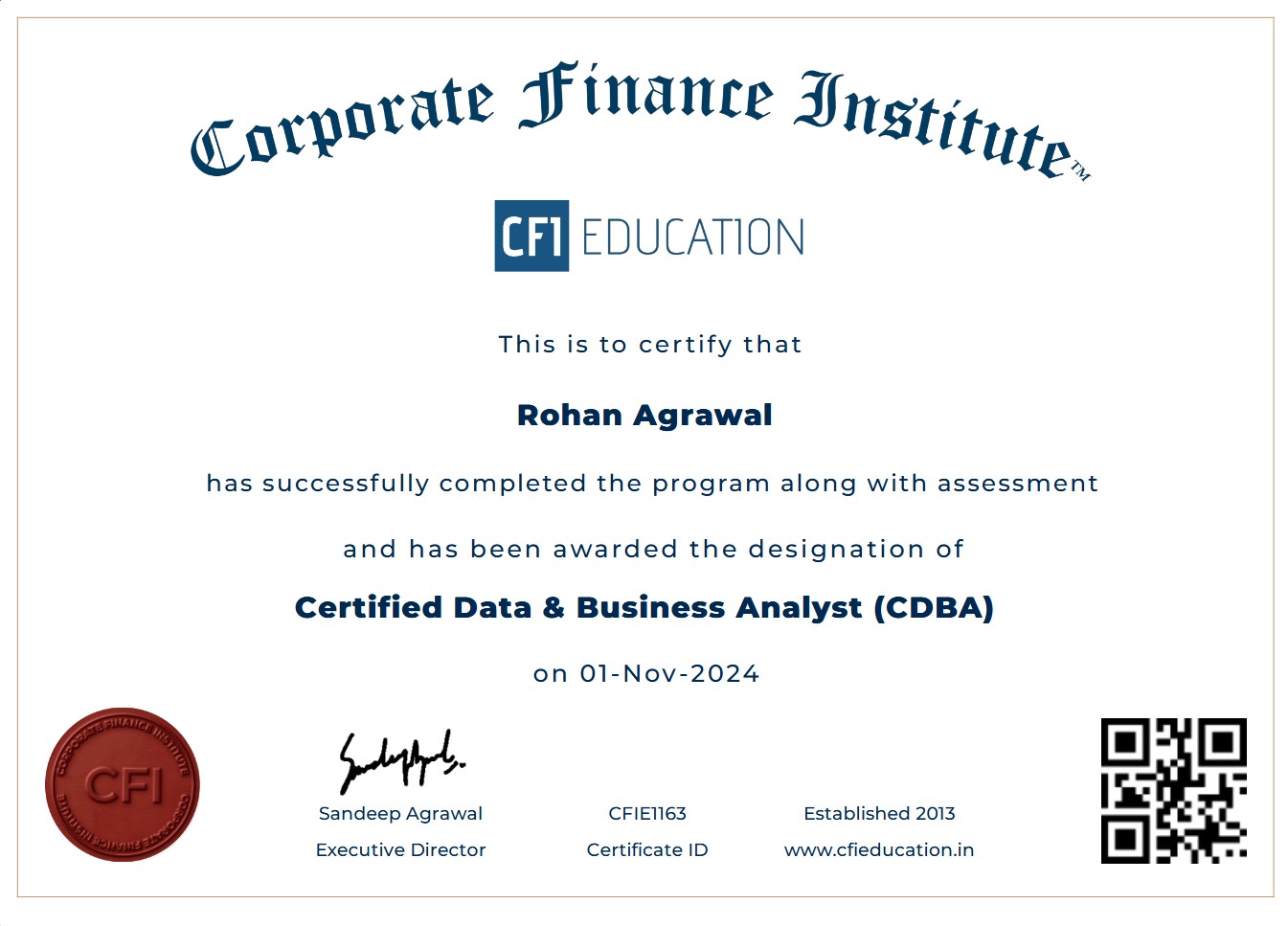
Earn Your Dual Certificate
Attend weekend live classes (or watch recordings within 24 hours). Each module ends with a practical assignment reviewed by your mentor. Doubt-clearing sessions run every Tuesday and Thursday evening.
Earn Your Dual Certificate
Attend weekend live classes (or watch recordings within 24 hours). Each module ends with a practical assignment reviewed by your mentor. Doubt-clearing sessions run every Tuesday and Thursday evening.
Earn Your Dual Certificate
Attend weekend live classes (or watch recordings within 24 hours). Each module ends with a practical assignment reviewed by your mentor. Doubt-clearing sessions run every Tuesday and Thursday evening.
Get the Prestigious CDBA® Certificate !!!
General Course Questions
It’s a professional certification program that equips you with skills in data analysis, visualization, and business intelligence using industry-standard tools like Excel, SQL, Python, and Power BI.
Students, recent graduates, career switchers, business professionals, or anyone interested in analytics and data-driven decision making.
No strict prerequisites — basic computer and Excel knowledge is helpful but most programs start with fundamentals and build up.
It’s suitable for a wide range of backgrounds (commerce, engineering, management, finance, etc.) with no strict degree requirement.
Course Content & Structure
You’ll learn:
- MS Excel (data analysis & formulae)
- SQL (querying databases)
- Python (data manipulation & libraries)
- Power BI (visualizations & dashboards)
- Statistics basics and business case studies
Yes — the course includes practical assignments, quizzes, case studies, and a capstone project to apply skills to real business problems.
Programs commonly offer both live instructor-led online sessions and self-paced recorded content depending on the mode you choose.
Typically a few months (e.g., ~12–15 weeks),but depends on your pace and batch schedule.
Certification & Assessment
Yes — after completing all modules and assessments successfully, you receive the Certified Data & Business Analyst (CDBA®) certification.
Through quizzes, assignments, and a final capstone project — sometimes with pass criteria (e.g., minimum scores) similar to other finance/data credentials.
The credential is designed to be industry-relevant and helps demonstrate practical analytics skills to recruiters — similar in purpose to other professional certificates.
Yes — completing the program can help you pursue roles such as data analyst, business analyst, reporting analyst, BI analyst, MIS analyst, etc.
Placement & Career Support
Yes — dedicated teams typically assist with resume building, interview prep, mock interviews, and job placement support upon successful completion.
Placement activities often begin near the end of training, once core technical modules and projects are mostly complete.
Common roles include data analyst, business analyst, BI specialist, reporting analyst, research analyst, and related analytics positions.
Fees, Schedule & Logistics
Fees vary by mode. online live is INR 45,000 and self-paced is INR 30,000
Unless otherwise specified, the listed fee typically covers all training and materials — similar to many professional certification programs.
Comparison With Other Programs
It’s different in focus:
- CDBA® emphasizes data analytics & business intelligence.
- FMVP® (Financial Modeling & Valuation Professional) focuses on financial modeling and valuation skills.
- CIBRA® (Certified Investment Banking & Research Analyst) targets investment banking and equity research skills.
Which is “better” depends on your career goals — analytics vs finance vs investment banking.
- 120+ hours of expert-led content
- 15+ real-world projects & capstone
- Lifetime access to course materials
- Industry-recognized CDBA® certificate
- 1:1 mentorship & doubt clearing
- Resume review & mock interviews
- 100% Placement assistance
- Downloadable templates & resources

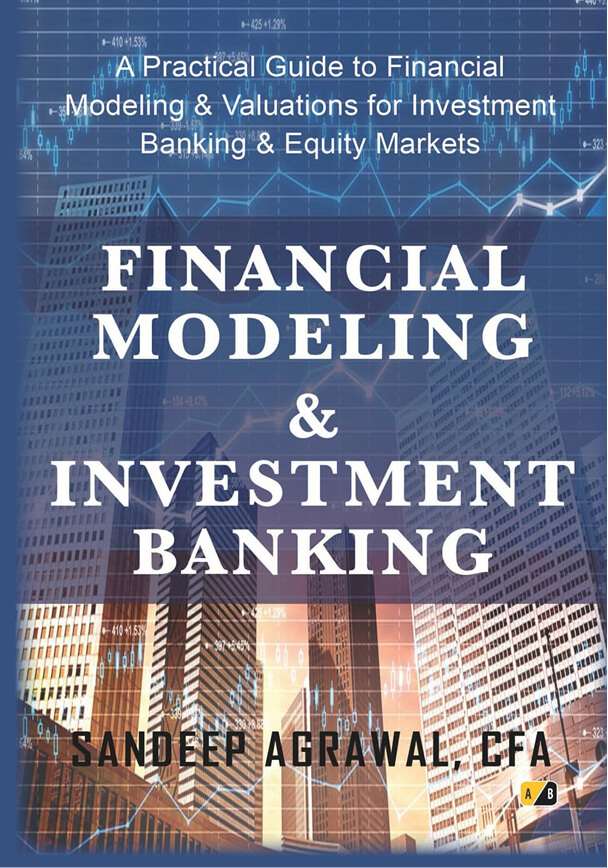
Authored by Our Founder.
Our faculty work in investment banking, equity research, and Corporate Finance. They bring live market examples, real deal structures, and career insights.
About the Author

Founder and Executive Director at CFI Education
Sandeep Aggrawal
- 4.8/5 Rating on Amazon India
- Bestseller in Financial Modeling & Valuation


Latest Blog
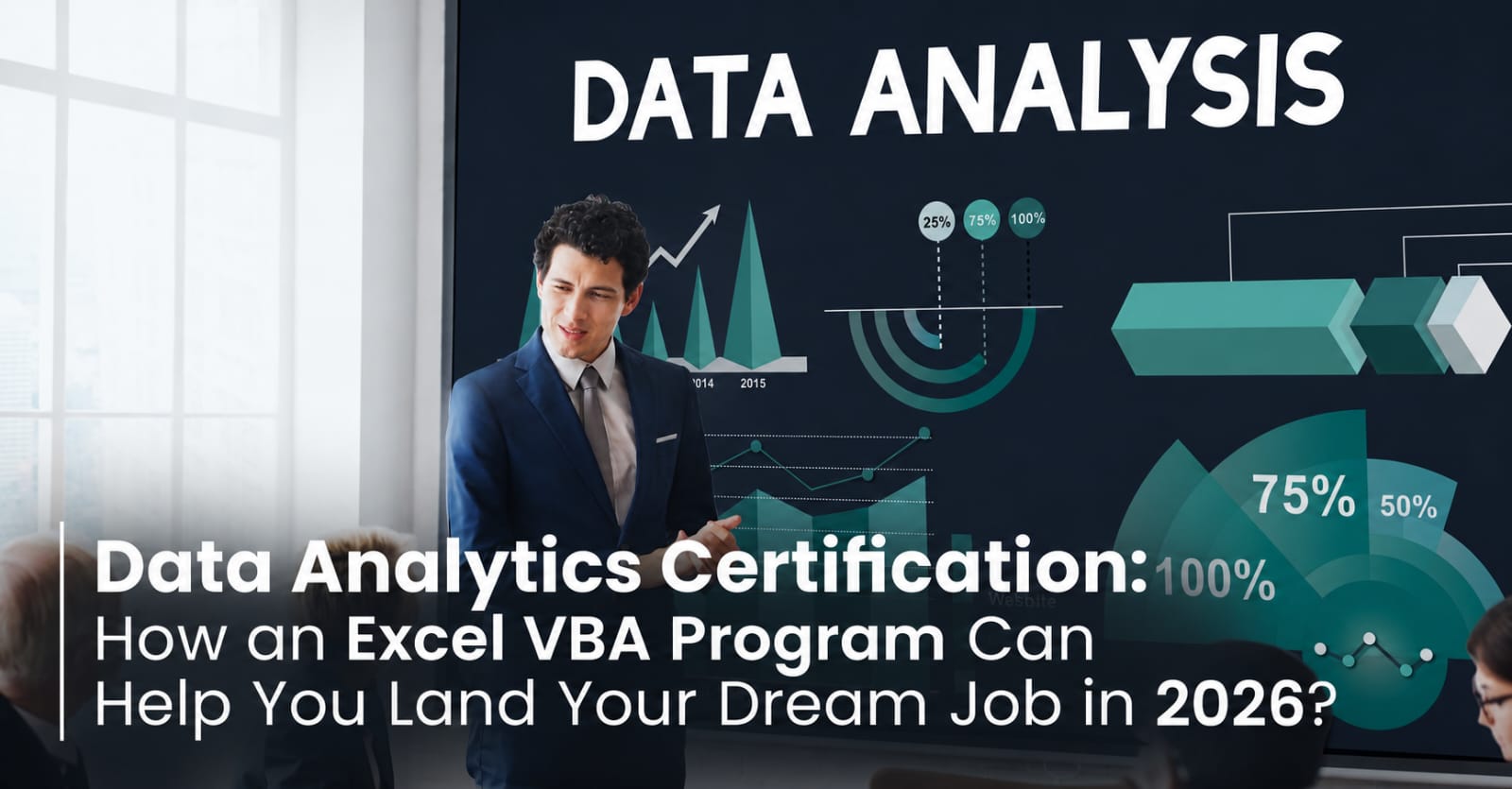
Data Analytics Certification: How a Excel VBA Program Can Land Your Dream Job?

Data Analytics Jobs: 9 Career Options You Can Explore
5 Data Aggregations You Can’t Live Without
